Skip to content

Print Your Photos

  • Awagami
    • About Awagami
    • Awagami Inkjet Paper – Video
    • Tips to choosing paper
    • A.I.J.P. – ICC Profiles
    • Tips for Printing
    • Reviews by Artists
    • Buy Awagami
  • Breathing Color
    • About Breathing Color
    • Buy Breathing Color
  • GoFrame
    • About GoFrame
    • Buy GoFrame
  • Hahnemühle
    • About Hahnemühle
    • Frequently Asked Questions
    • Buy Hahnemühle
  • Ilford
    • Ilford Galerie
    • Ilford Omnijet
    • Ilford Photo
  • Kentmere
    • About Kentmere
    • Buy Kentmere Papers & Films
  • Paterson Darkroom
    • About Paterson
    • Buy Paterson Darkroom
  • Rotatrim
    • About Rotatrim
    • Product Support Videos
    • FAQ – RotaTrim
    • Buy Rotatrim
  • Stick & Stretch
    • About Stick & Stretch
    • How it works
    • Buy Stick & Stretch
  • Home
  • Our Brands
  • What’s New
  • Tips & Tutorials
    • How to Select Papers
    • How to Frame
    • How to Trim
    • How to Print
    • How to Videos
    • How to Photography
    • Tips and Tutorials
  • Buy Samples
  • Testimonials
  • Contact

Print Your Photos

  • Awagami
    • About Awagami
    • Awagami Inkjet Paper – Video
    • Tips to choosing paper
    • A.I.J.P. – ICC Profiles
    • Tips for Printing
    • Reviews by Artists
    • Buy Awagami
  • Breathing Color
    • About Breathing Color
    • Buy Breathing Color
  • GoFrame
    • About GoFrame
    • Buy GoFrame
  • Hahnemühle
    • About Hahnemühle
    • Frequently Asked Questions
    • Buy Hahnemühle
  • Ilford
    • Ilford Galerie
    • Ilford Omnijet
    • Ilford Photo
  • Kentmere
    • About Kentmere
    • Buy Kentmere Papers & Films
  • Paterson Darkroom
    • About Paterson
    • Buy Paterson Darkroom
  • Rotatrim
    • About Rotatrim
    • Product Support Videos
    • FAQ – RotaTrim
    • Buy Rotatrim
  • Stick & Stretch
    • About Stick & Stretch
    • How it works
    • Buy Stick & Stretch
  • How to select papers / How to Videos

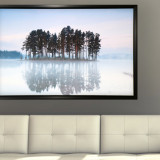
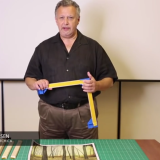
How to create translucent effect to your images

by PrintYourPhotos · June 1, 2015

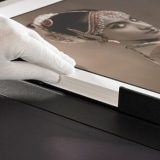
Create translucent effect using Awagami Kozo Inkjet papers “Kozo”

– by Valerie Keeler, Valberg Imaging

>> See more details about Awagami Kozo Inkjet Papers

Tags: AwagamiInkjetKozoPapersValberg ImagingValerie Keeler

You may also like...

  • Get a FREE 24″ Sample Roll or a Hahnemühle Sample Pack up to 13 x 19″ with Purchase of any new Fine Art Printer!

    August 26, 2021

  • Assemble JetMaster Photo Panel

    How to assemble your JetMaster Photo Panel

    May 21, 2015

  • Algonquin college photography program will hold a charity print sale at their 48th annual exhibition in April

    April 28, 2021

Follow:

  • Next story Why it is important to get clients & photographers to print their work
  • Previous story JetMaster Photo Wrap

Recent Posts & What’s Hot

  • Recent Posts
  • Popular Posts
  • How to Photography

    Sunrise to Sunset-Capturing the Golden Hours

  • Introducing the New HARMAN PHOENIX 200-120 Colour Film

    What's New

    Introducing the New HARMAN PHOENIX 200-120 Colour Film

  • Harman Phoenix 35mm Film – Social Photo Walk – Friday May 24

    How to Photography

    Harman Phoenix 35mm Film – Social Photo Walk – Friday May 24

  • Crombie McNeill “Klondike Ghost Towns”

    How to Photography

    Crombie McNeill “Klondike Ghost Towns” Gallery Opening – Vistek Ottawa

  • Great Event at Gosselin

    How to Photography

    Great Event at Gosselin

  • How to select papers

    How to choosing Awagami Injket Paper

  • How to Frame

    How to frame your photos using Go Frame

  • How to Frame / How to Videos

    “Gallery Wrap” your Canvas

  • How to Trim

    How to trim your photos

  • How to Print

    How to Print – Basic Instructions for Canon iPF Printers

Tips & Tutorials

Print Your Photos © 2018. All Rights Reserved | Distributed in Canada by Amplis Inc.